01
Connect your accounts
Securely connect the social media accounts and channels you want to manage.




Amplypost helps creators and businesses create, schedule, and publish content to YouTube, Instagram, Facebook, TikTok, LinkedIn, X, Threads, Bluesky, Pinterest, and Google Business Profile, all from one dashboard.
No credit card required


Connect your accounts once, create your content, and let Amplypost handle your publishing schedule.
01
Securely connect the social media accounts and channels you want to manage.
02
Upload photos or videos, write captions and descriptions, and select where you want your content published.
03
Publish immediately or choose the exact date and time you want your content to go live.
04
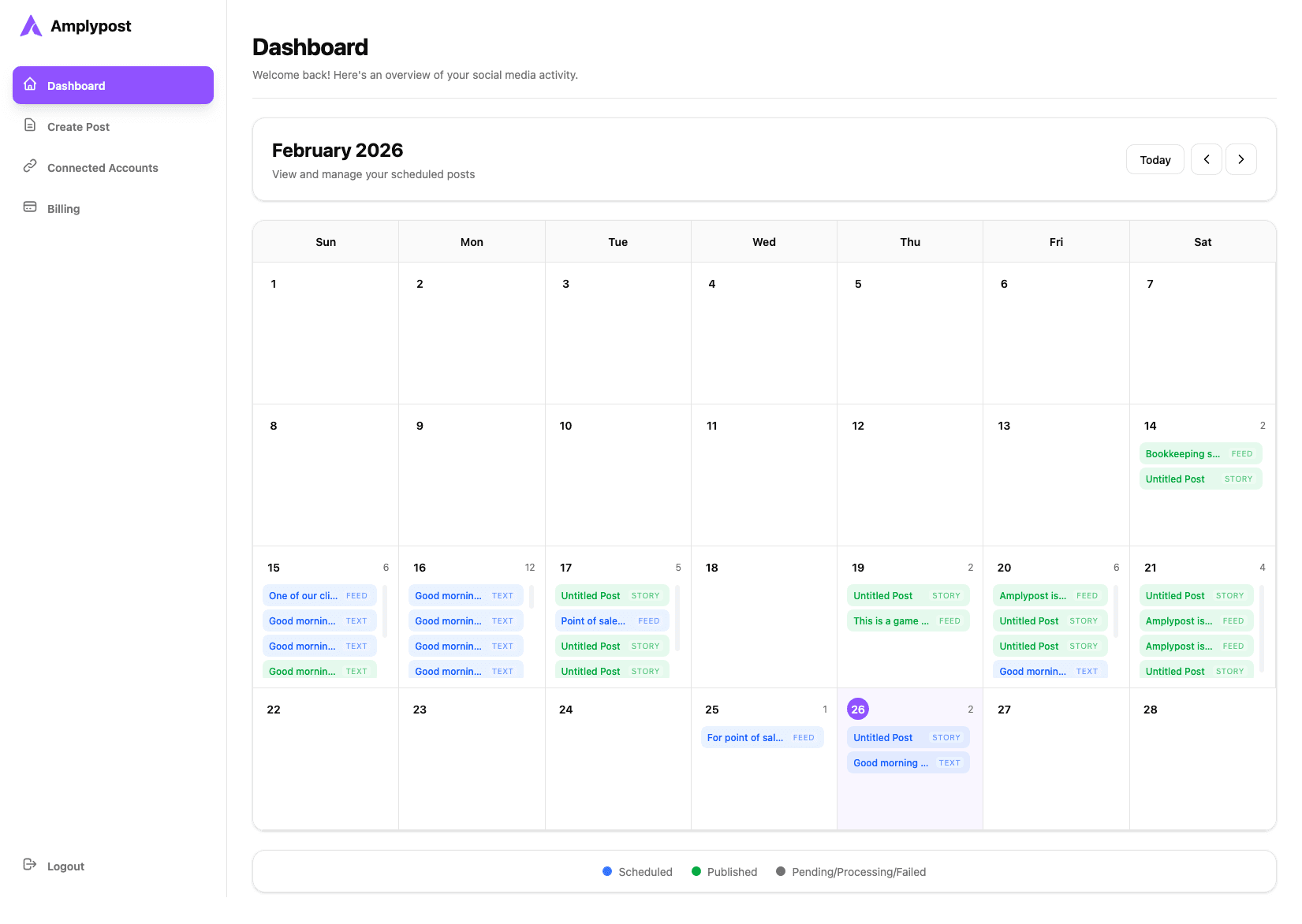
View upcoming posts, manage connected accounts, and organize your publishing calendar from one dashboard.
Connect the channels your audience already follows and manage your publishing workflow without constantly switching between apps.
Publishing features depend on each platform's official API capabilities and account eligibility.
YouTube Integration
Connect your YouTube channel to Amplypost and manage your video publishing workflow alongside your other social platforms.
Sign in with Google and choose the YouTube channel you want to connect.
Upload your video and provide the information required for publishing.
Choose when you want your video published and manage it alongside your other scheduled content.
Amplypost requests Google and YouTube permissions only to provide the features you authorize. You remain in control of your connected account and can disconnect it at any time.
Plan, prepare, and publish content with a straightforward workflow built for creators, businesses, and social media managers.
Create content once and publish it across the social networks you choose.
See your upcoming content and publishing schedule at a glance.
Prepare and schedule video content for supported platforms including YouTube.
Manage your connected social accounts from one place.
Publish immediately or schedule content for later.
Spend less time switching between social media dashboards and more time creating.
Use the Amplypost dashboard to organize your content workflow, review upcoming posts, and manage the accounts connected to your publishing calendar.
Prepare content, choose platforms, and add the details required by each selected destination.
Review scheduled content and keep your publishing plan organized across days and campaigns.
See connected social accounts and manage the channels available for publishing.
Choose a plan that fits your publishing workflow.
Clear answers about Amplypost, supported platforms, YouTube authorization, and account control.
Amplypost is a social media management platform that helps creators and businesses create, schedule, and publish content across supported social networks from one dashboard.
Amplypost supports Facebook, Instagram, YouTube, TikTok, LinkedIn, X, Threads, Bluesky, Pinterest, and Google Business Profile. Platform capabilities can vary because each social network has its own API rules and publishing limits.
Yes. Users can securely connect supported YouTube channels through Google authorization to use Amplypost's YouTube publishing features.
Amplypost uses Google authorization to connect your YouTube channel and provide the YouTube features you choose to use, such as reading channel details needed for connection and uploading or publishing video content you prepare in Amplypost.
Yes. Connected accounts can be disconnected from Amplypost, and you can revoke Google account authorization from your Google account settings at any time.
Amplypost publishes content based on the actions and schedules you set. You choose the platforms, content, and timing before publishing or scheduling.
Amplypost uses official authorization flows for supported platforms and does not ask for your social media passwords. Review the Privacy Policy for more detail on how account data is handled.
Connect your accounts and start planning your content from one dashboard.


