Connect YouTube securely
Use Google authorization to connect the channel you want to manage in Amplypost.
YouTube Shorts scheduler
Connect your YouTube channel, prepare vertical video posts, and organize Shorts with your wider publishing calendar.
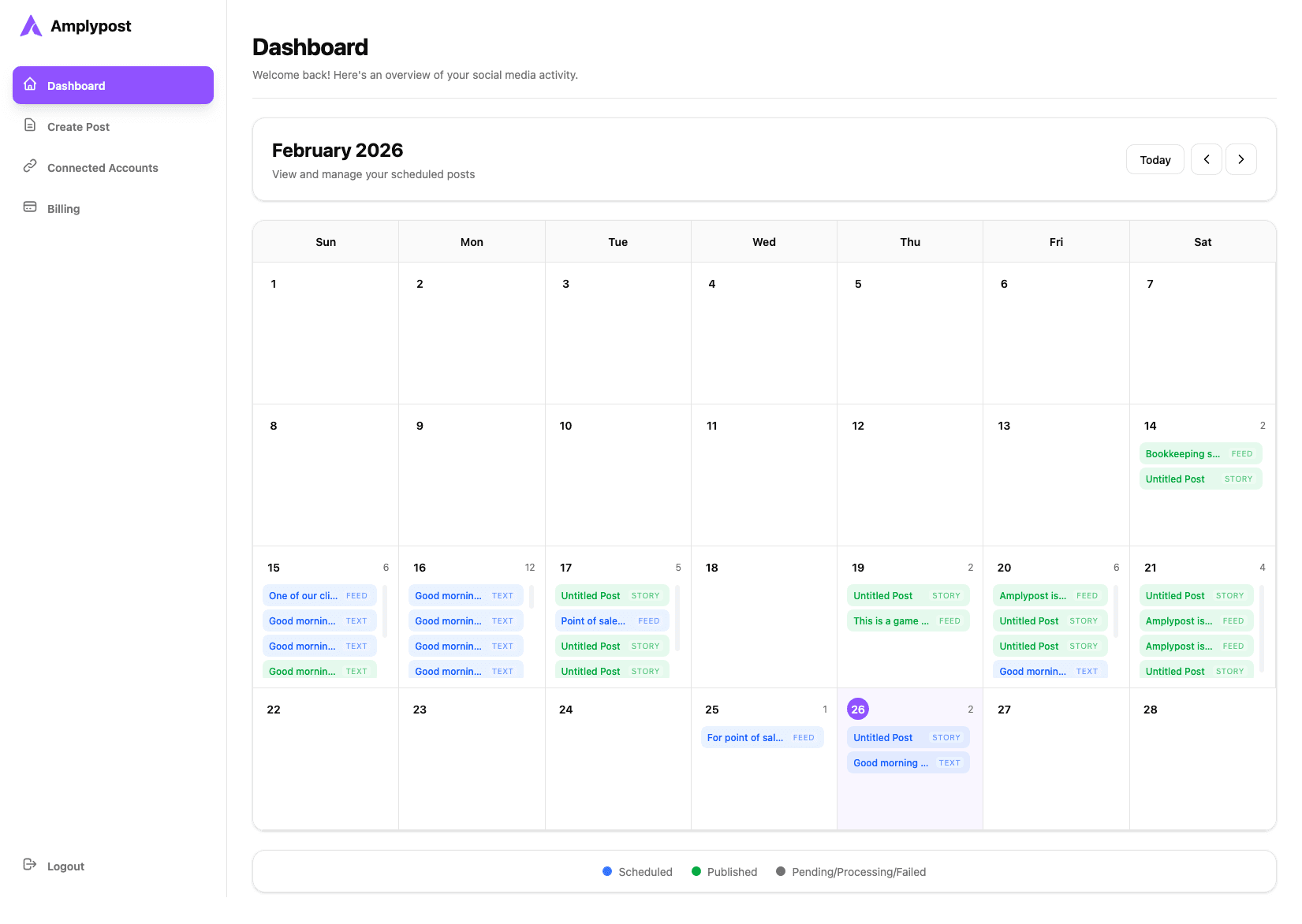
Use Google authorization to connect the channel you want to manage in Amplypost.
Upload video content and organize the information needed for publishing.
Keep Shorts visible next to other social posts and campaign moments.
Workflow
Create a predictable path for every Short instead of scrambling inside multiple dashboards.
Connect your YouTube channel.
Upload the Short and add the required details.
Pick a publishing time.
Review upcoming videos from the dashboard.
Why Amplypost
Amplypost is useful when Shorts are part of a larger content engine, not a one-off upload.
Coordinate Shorts with TikTok and Instagram posts
Use one publishing calendar
Manage connected accounts in one workspace
FAQ
Yes. Amplypost lets users connect supported YouTube channels through Google authorization.
Yes. Amplypost is designed to help you plan short-video campaigns alongside the rest of your social media schedule.
Connect your supported accounts, create content, and schedule posts from one Amplypost workspace.
Choose a plan that fits your publishing workflow.