Create TikTok posts
Upload videos, write captions, add hashtags, and prepare publishing details without switching between tools.

TikTok page
Plan, create, schedule, and publish TikTok videos from one simple workspace.
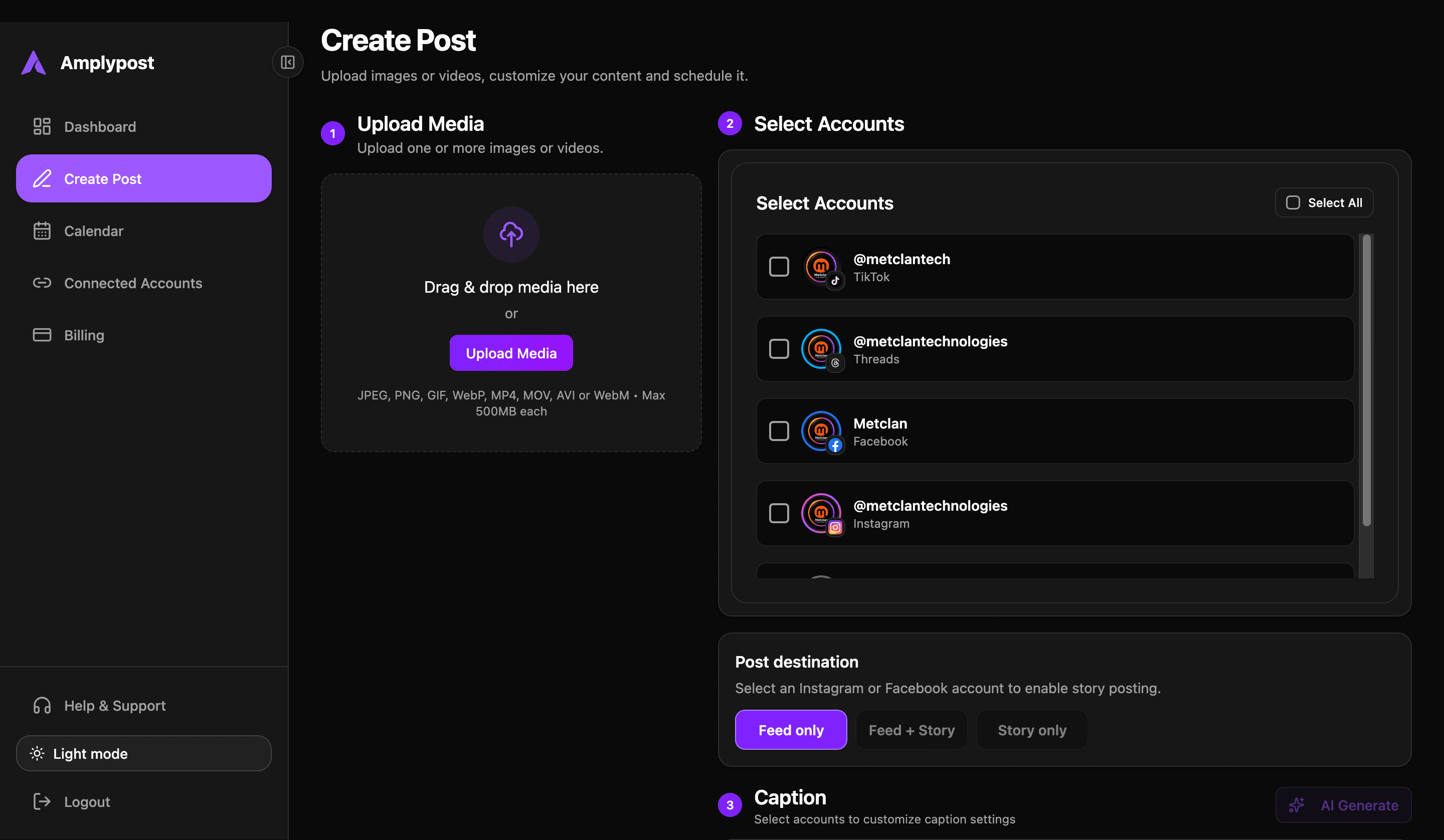
Upload videos, write captions, add hashtags, and prepare publishing details without switching between tools.
Review your video, caption, hashtags, mentions, and publishing details before your TikTok post goes live.
Choose when each TikTok video should publish and manage upcoming posts from your content calendar.
Demo
Uploading a TikTok video
Writing a caption with hashtags
Previewing the TikTok post
Scheduling a publishing time
Viewing scheduled TikTok posts in the calendar
Supported content
TikTok videos
Short-form vertical videos
Captions
Hashtags
Mentions
Scheduled posts
Draft posts
Video thumbnails or cover images, if supported
Multi-account TikTok publishing, if available
Workflow
Create and manage TikTok posts without switching between tools. Perfect for creators, brands, agencies, and social media teams managing TikTok content at scale.
Connect your TikTok account.
Upload your video.
Add a caption, hashtags, and mentions.
Choose a cover image or thumbnail.
Preview your TikTok post.
Publish immediately or schedule for later.
Track and manage your scheduled posts from the content calendar.
Why Amplypost
Use Amplypost to move TikTok content from upload to scheduled post in one focused workflow.
Upload and prepare your TikTok video
Add captions, hashtags, and publishing details
Preview how your post will appear
Schedule TikTok posts ahead of time
Plans
TikTok publishing is available on selected plans.
Free Plan: Try basic content planning and draft creation.
Pro Plan: Schedule and publish TikTok posts.
Team Plan: Collaborate with teammates, manage approvals, and handle multiple accounts.
Agency Plan: Manage TikTok publishing for multiple brands or clients.
FAQ
Yes. You can create TikTok posts and schedule them for a future date and time.
Yes. Captions can include hashtags, mentions, and custom text.
Yes. You can review your video, caption, and publishing details before it goes live.
Some TikTok publishing features may require a TikTok Business or connected professional account, depending on TikTok's API permissions.
Yes, if your plan includes team collaboration, multiple users can create, review, and schedule content.
Start creating, scheduling, and publishing TikTok content in minutes.
Choose a plan that fits your publishing workflow.