1
Connect your Facebook Page
Start by connecting the Facebook Page you want to publish to. Amplypost's Facebook workflow is built for connected Pages and accounts, not personal-profile publishing claims.
 Facebook scheduler
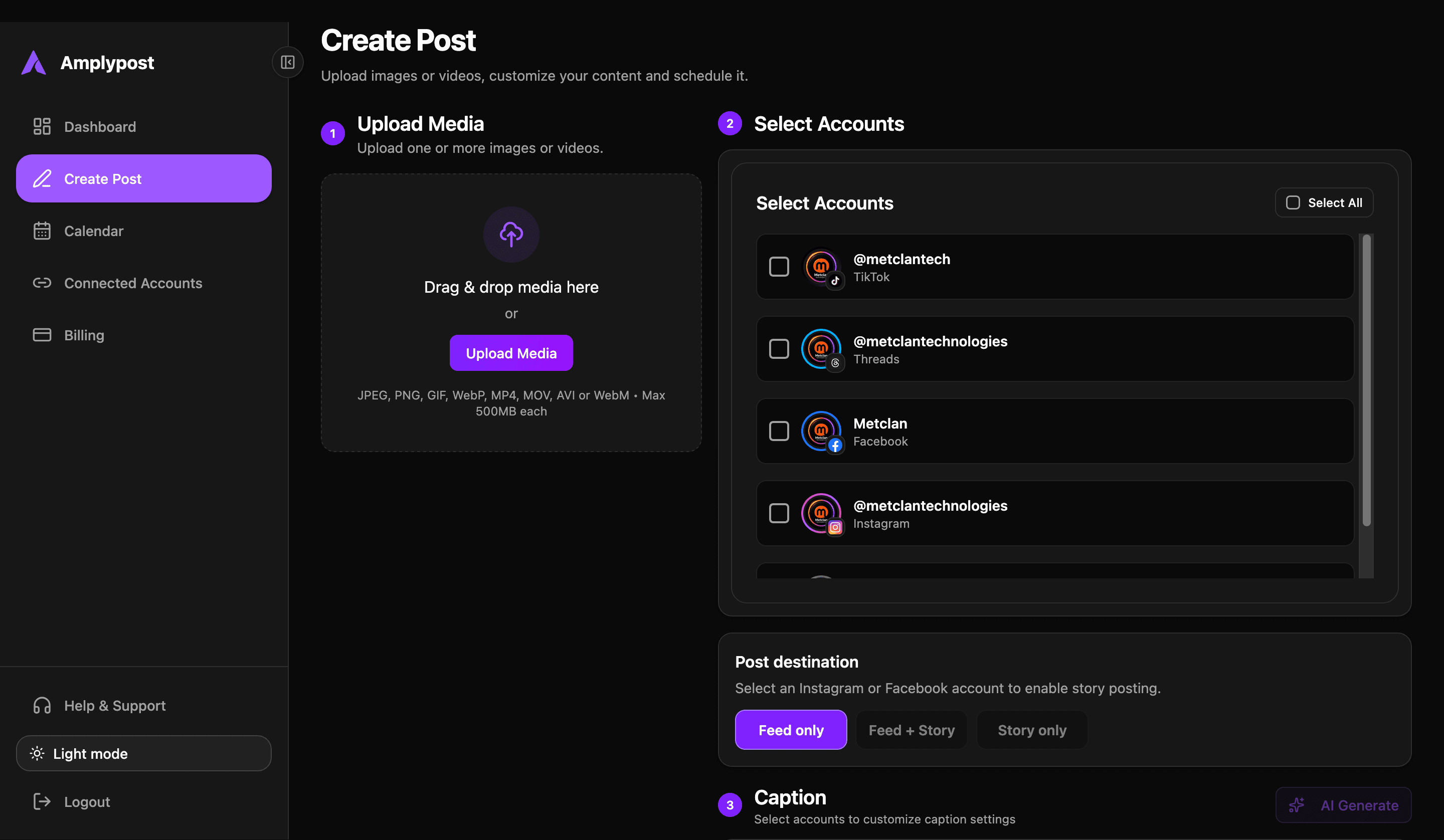
Create Facebook content, select one or multiple Pages, customize captions by Page, and publish immediately or schedule for later from the same workspace you use for your other social channels.
Feed
Story
Schedule
Product demo
The Screen Studio walkthrough belongs here once the final recording is ready. The page still explains the full workflow below, so visitors can understand Facebook scheduling even before watching the demo.
Screen Studio demo placeholder
Add the final hosted demo video here after recording the real Facebook scheduling workflow.
Step by step
Amplypost keeps the full Facebook publishing path in one place: account selection, content creation, media upload, caption writing, Story options, and scheduling.
Start by connecting the Facebook Page you want to publish to. Amplypost's Facebook workflow is built for connected Pages and accounts, not personal-profile publishing claims.
Open the post composer, add the content for the campaign, and decide whether the Facebook update needs text, images, multiple images, video, a Story, or a mix of feed and Story publishing.
Choose a single connected Facebook Page or select multiple Facebook Pages when the same campaign needs to go to more than one destination.
Upload images, multiple images, or video content. Facebook videos published through Amplypost can appear in the Page's video/Reels experience, and Stories can use photo or video media.
Write the caption in the composer, add saved hashtag groups when they are useful, and keep frequently used emojis close instead of hunting for the same small details each time.
When more than one Facebook Page is selected, one campaign does not have to mean one identical caption. An agency can reuse campaign media while adapting the wording for each client Page.
Send the post immediately when it needs to go live now, or choose a future date, time, and timezone so the Facebook content is ready before publishing day.
Content formats
Facebook publishing is not one format anymore. Amplypost supports the feed, multi-image posts, video/Reels content, and Stories from a single composer.
Prepare standard Facebook feed posts for Page updates, announcements, offers, and campaign messages.
Publish a single image with a Facebook caption when the message needs a focused visual.
Add multiple images to one Facebook post for launches, event recaps, product drops, or before-and-after updates.
Prepare video content in the same workflow as your other Facebook publishing, including content that appears in the video/Reels experience.
Plan photo Stories and video Stories alongside feed content so campaign reminders are not left to memory.
Multiple Pages
Select multiple connected Facebook Pages when one campaign needs to reach more than one audience. Then adapt the caption for each Page instead of forcing every brand to use the exact same wording.
Same campaign media. Different Page captions.
Facebook Page A
New arrivals are here. Visit us today.
Facebook Page B
Our latest collection just landed. Explore what is new.
Your Facebook videos do not need a separate planning process. Prepare video content in Amplypost, publish it to Facebook, and keep Reels, posts, and Stories beside the rest of your content schedule.
Amplypost supports Facebook photo Stories and video Stories. A campaign can include a feed post, a video, and a Story without asking the social media manager to manually remember each publishing task.
Cross-platform calendar
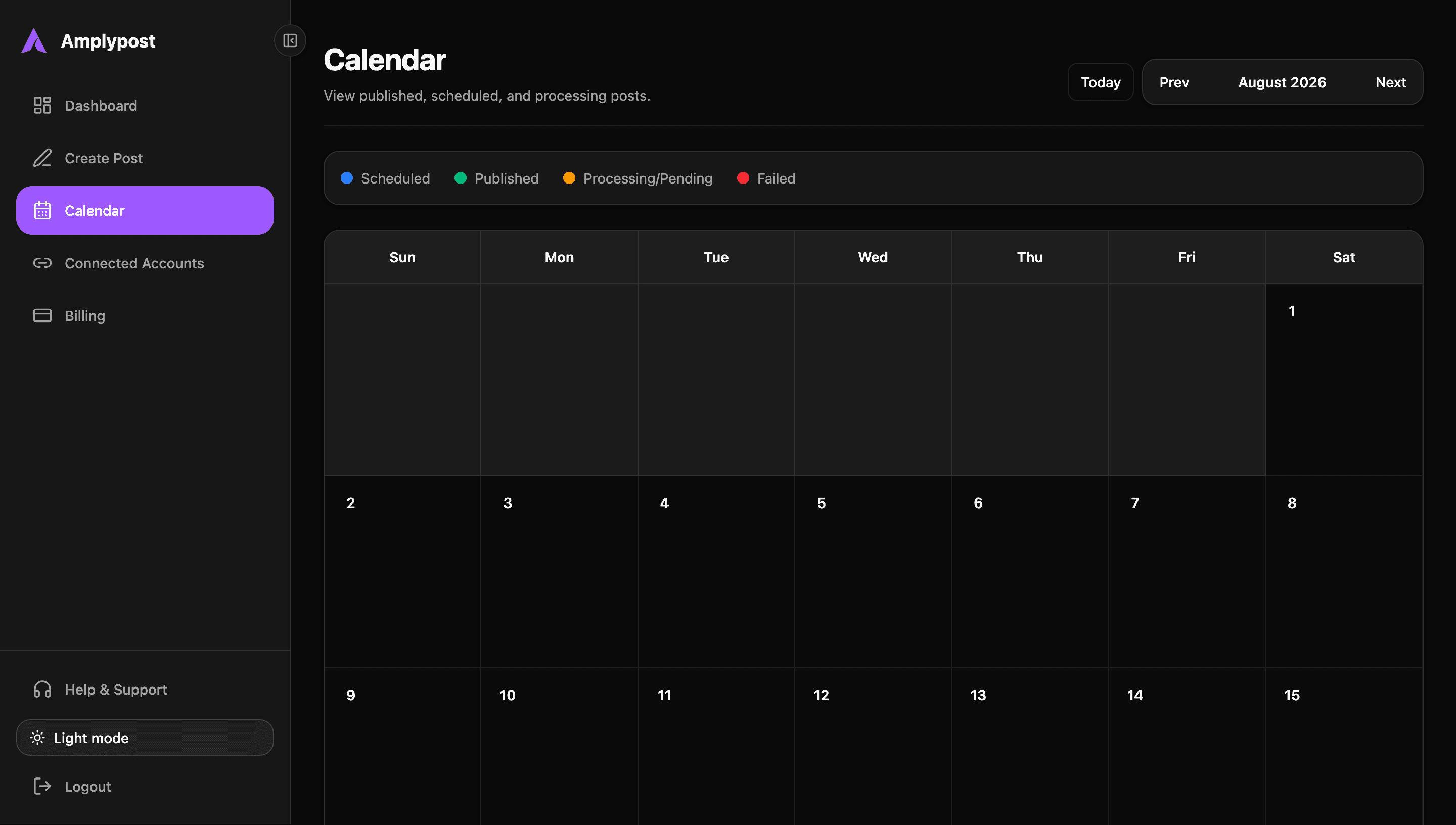
Amplypost helps you avoid downloading media, opening Facebook, uploading, then repeating the same work elsewhere. Use one workflow to prepare Facebook content alongside channels like Instagram, TikTok, and LinkedIn.
For campaigns that need more than Facebook, see how Amplypost can schedule one post to multiple social media platforms.
Small workflow features
Facebook scheduling is smoother when the little pieces of publishing are close at hand.
Save hashtag groups for repeat use, including Facebook-specific sets when a campaign or brand uses the same tags often.
Keep frequently used emojis accessible while writing captions, especially when different Pages need different tones.
Use publish now for timely announcements, urgent updates, and posts that are ready to go live.
Choose a future publishing time so Facebook content is prepared before launch day or campaign week.
Use cases
Prepare promotions, announcements, launches, and regular Page updates in advance. Learn more about Amplypost as a social media scheduler for small businesses.
Keep Facebook publishing work visible without repeatedly opening individual social networks.
Manage campaign content across multiple client Pages and customize captions where each brand needs its own voice. Learn more about Amplypost as a social media scheduler for agencies.
Plan product launches, offers, new arrivals, and campaign reminders before the promotion starts.
Prepare Facebook video and Reel-style content alongside feed posts and Stories.
Schedule offers, event updates, seasonal notices, and regular business announcements.
Planning value
Scheduling is useful because it separates the moment content is created from the moment it needs to appear on Facebook.
Keep Facebook posting consistent without relying on someone to remember every publishing time.
Prepare launch-day content before the launch, then schedule the post for the intended moment.
Reduce repetitive work by creating the Facebook post once instead of reopening Facebook for each update.
Coordinate campaigns across multiple Facebook Pages from one content workflow.
Keep Facebook aligned with Instagram, TikTok, LinkedIn, and other channels in the same calendar.
Separate creation time from publishing time, so content can be made when your team has focus and published when it needs to appear.
FAQ
Yes. Amplypost supports Facebook publishing for connected Facebook accounts and Pages, including scheduled publishing.
Yes. You can choose schedule for later, then set the publishing date, time, and timezone in the Amplypost composer.
Yes. Amplypost supports publishing immediately when the post is ready to go live now.
Amplypost supports Facebook video publishing, and published Facebook videos have been verified in the Page's video/Reels experience.
Yes. Amplypost supports Facebook Story publishing for eligible selected Facebook accounts.
Yes. Amplypost supports photo Stories and video Stories for Facebook.
Yes. You can select one or multiple connected Facebook Pages when preparing a post.
Yes. When multiple accounts are selected, Amplypost can use different captions for individual selected Facebook accounts.
Yes. Amplypost supports multi-image Facebook posts.
Yes. Amplypost is built for cross-platform publishing, so Facebook can sit beside other supported social channels in one workflow.
Plan posts, Reels, and Stories, manage multiple Facebook Pages, customize captions, and publish from one streamlined workflow.
Choose a plan that fits your publishing workflow.